CJ Affiliate
CJ Affiliate (https://www.cj.com/ ) is an online advertising company owned by Publicis Groupe, operating in the affiliate marketing sector, worldwide. This tutorial will teach you how to send data to CJ from GTM Server-Side.
Import the tag
Gallery search
Firstly, you need to search for the CJ Affiliate tag template.
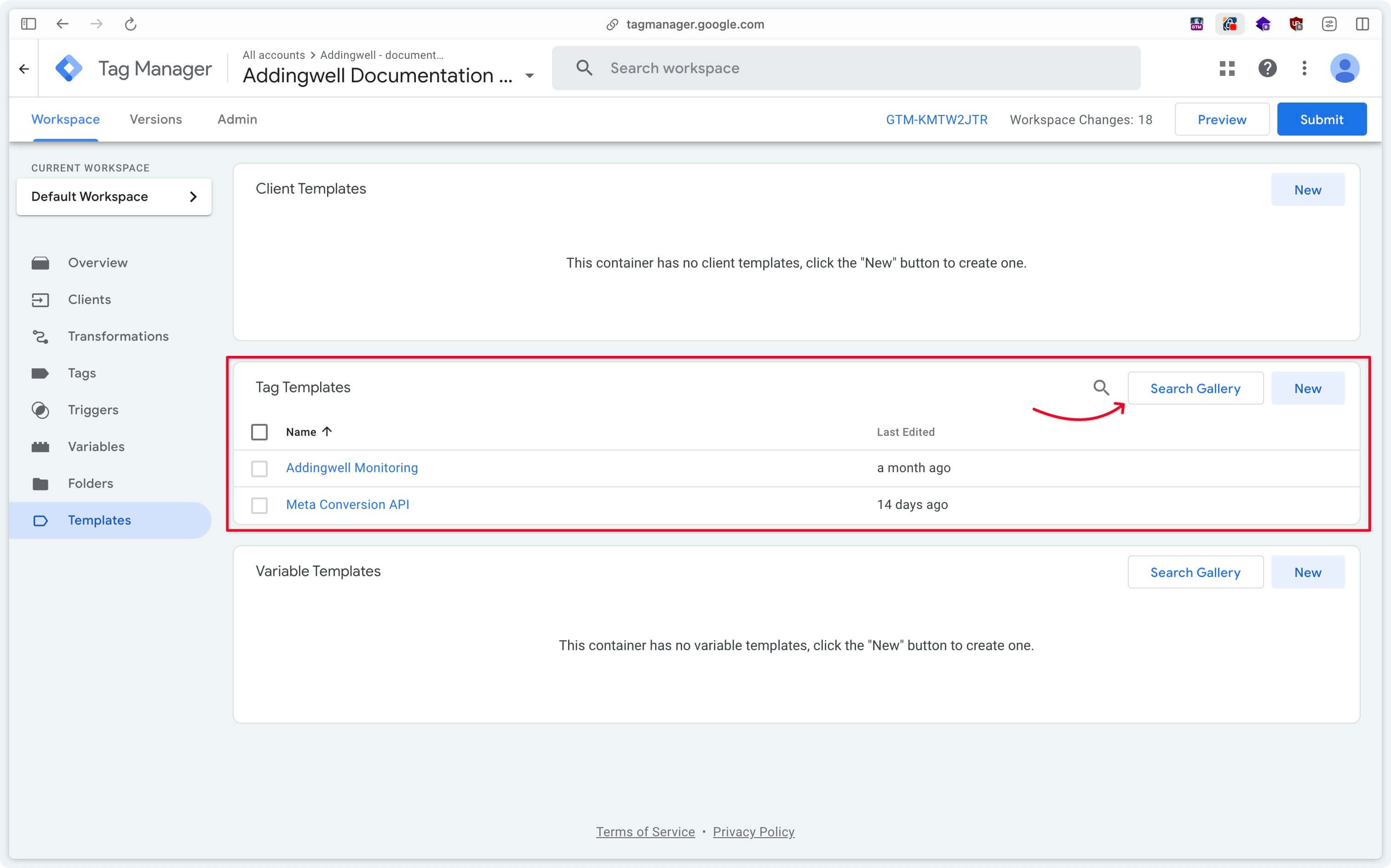
Go to Templates > Tag Templates > Search Gallery.
Adding the tag
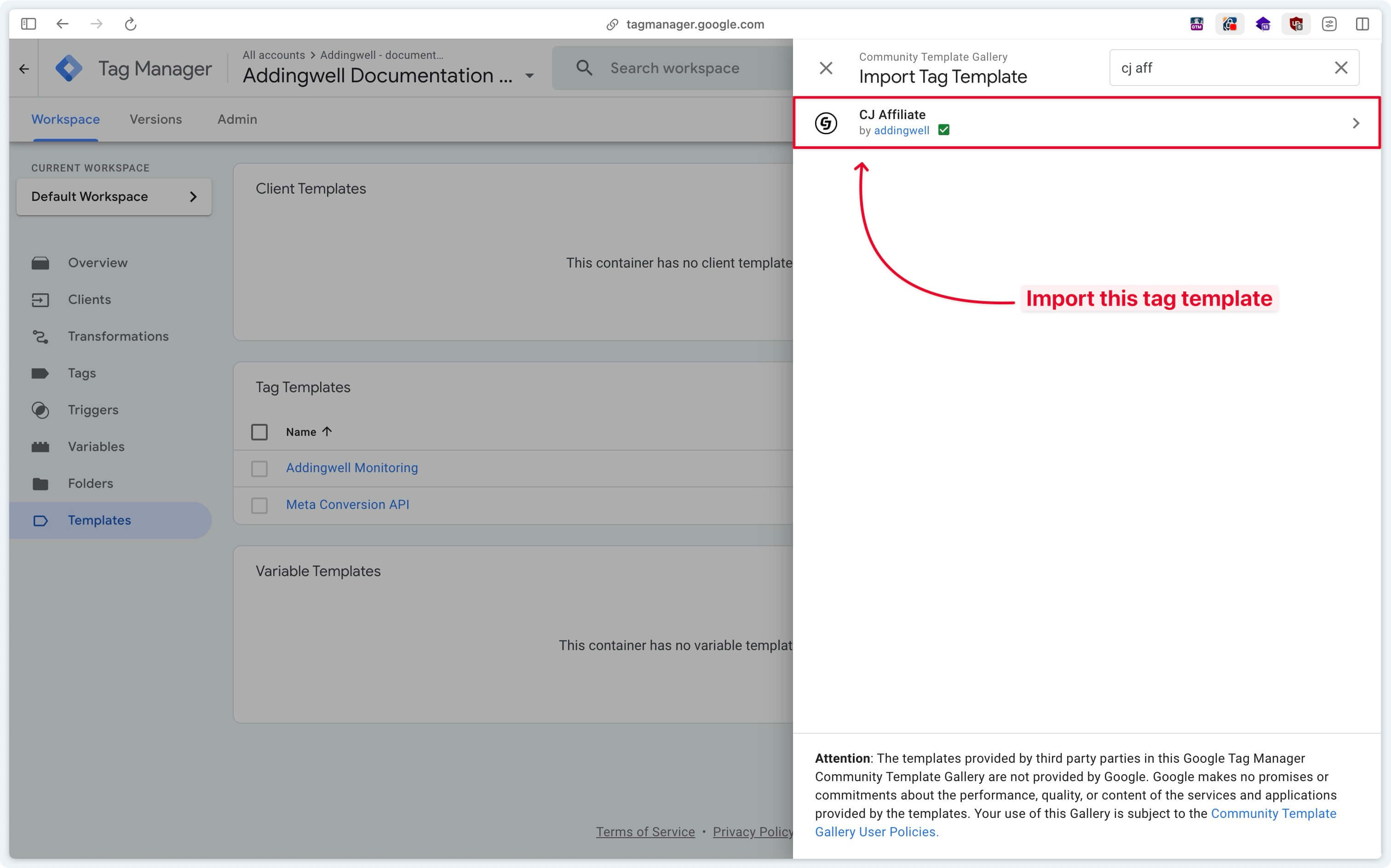
Search for CJ Affiliate and then click on the Add to workspace button.
Configure the tag
Create a new tag in Google Tag Manager Server-Side and select the recently imported tag.
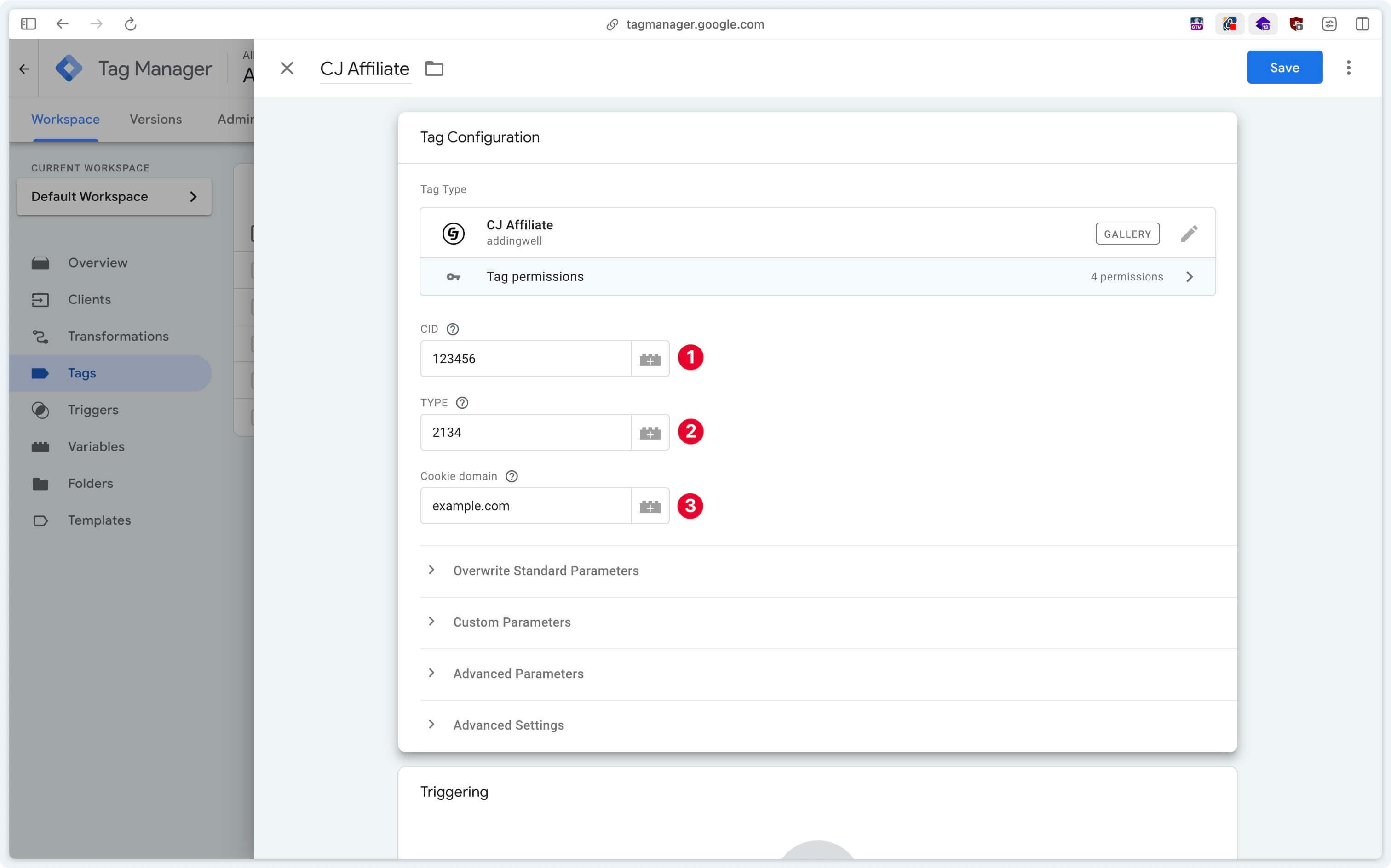
CID (Client ID)
Enter the Client ID obtained from the CJ Affiliate interface here.
TYPE (Action ID)
Enter the Action ID obtained from the CJ Affiliate interface here.
Cookie Domain
Enter your root domain here.
For example, if your website is located on the subdomain aw.example.com, enter example.com here.
Trigger the tag
Configuration of the Lookup Table variable
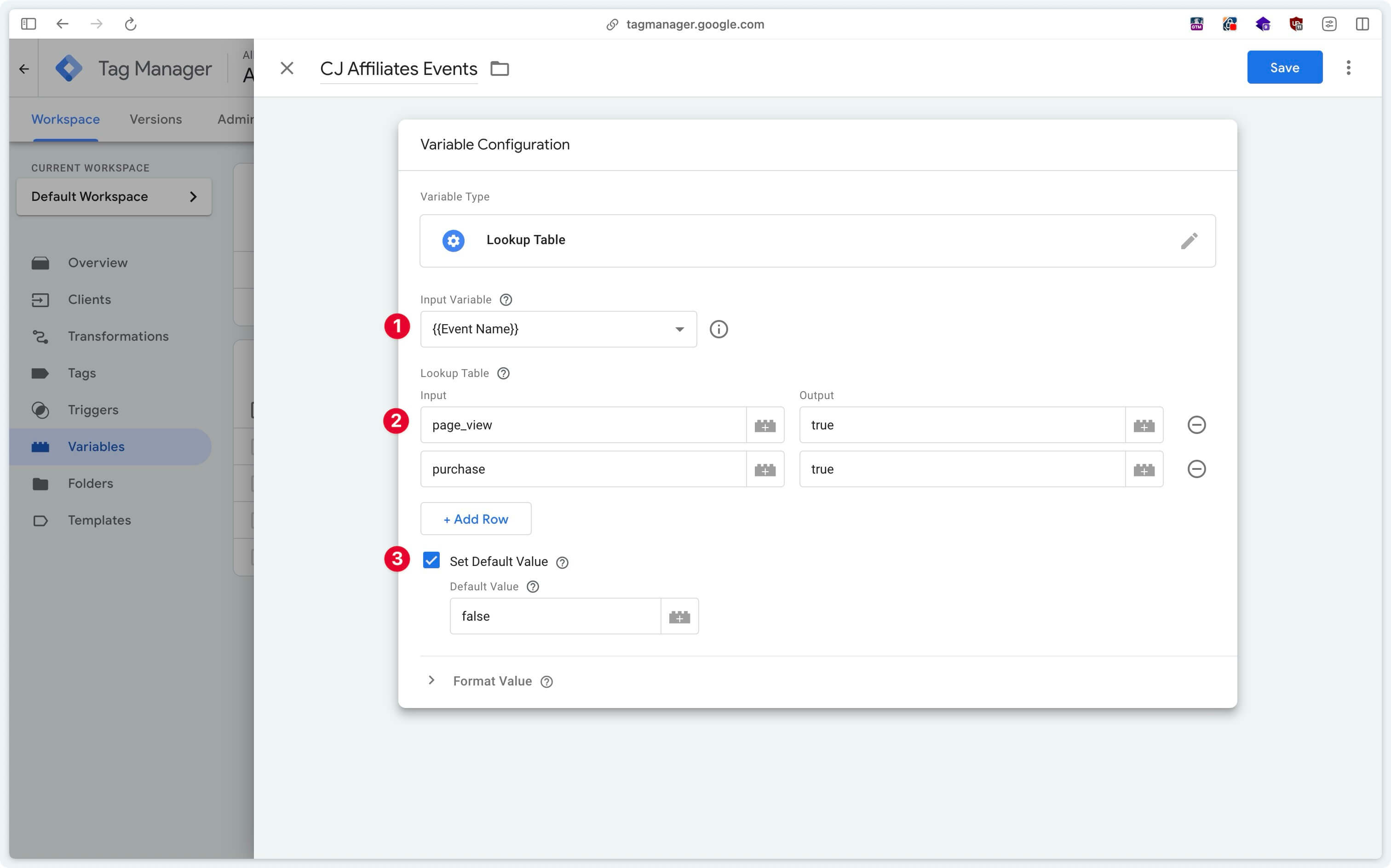
The CJ Affiliate tag should be triggered on the page_view and purchase events.
For optimal organization, you can create a Lookup Table type variable.
Trigger configuration
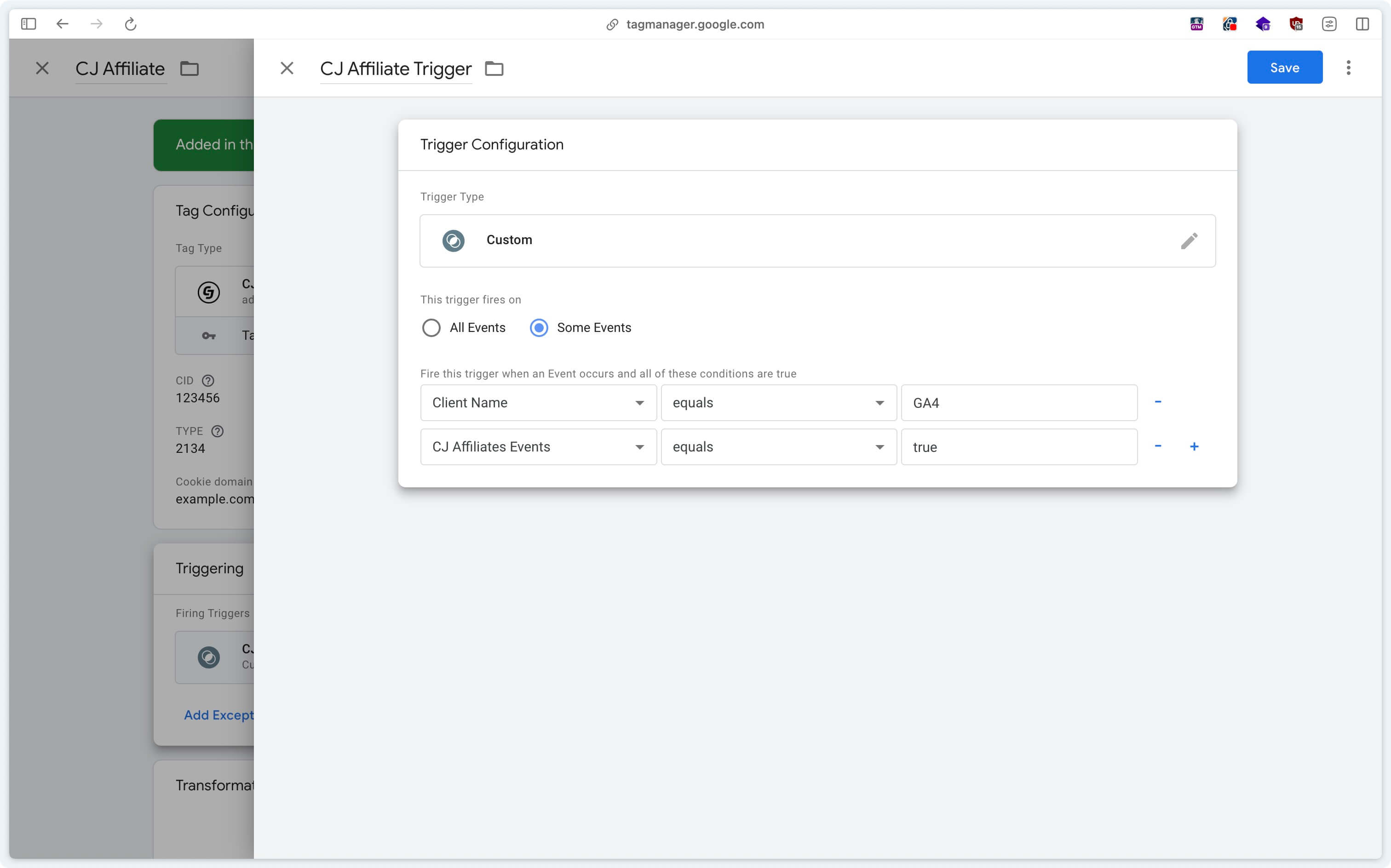
In the CJ Affiliate tag, create a Custom trigger checking that the events are coming from GA4 (Client Name = GA4) and that the previously configured lookup table returns true.
If the Client Name variable does not appear in the list of variables, you need to activate it via Choose Built-In Variable.
Depending on the country in which your website operates and the regulations in force regarding data collection (GDPR in Europe, CCPA in California, Law 25 in Quebec, etc.), it is imperative to configure the tag trigger based on user consent. Ensure that the tag is triggered only when the appropriate consent has been obtained, in accordance with applicable legal requirements.
If you have any questions, please contact us at [email protected]. Our team will be happy to assist you.