Bypass ad-blockers with Addingwell
Implementing server-side tagging is a first step towards bypassing Ad-blockers. But server-side tagging doesn’t natively bypass ad-blockers. Additional configuration is required.
To bypass ad-blockers it’s necessary to load all the components you need for tracking using URLs that are not detectable.
These components are as follows:
- The Google Tag Manager library
- The Google Analytics 4 library
- Editing the
/g/collectof GA4 event queries.
Example for the Google Tag Manager library
Blocked query: https://www.googletagmanager.com/gtm.js?id=GTM-XXXXXXX
Non-blocked query: https://srv.your-domain.com/fojn34dsfnvskjn.js?aw=XXXXXXX
To completely bypass ad-blockers, you need to implement the following 3 steps.
3 steps to a complete bypass
Prerequisite: Migrating GA4 to Server-Side
Before configuring the ad blocker bypass, you must first migrate your GA4 tag to Server-Side mode.
If you are still using a Google tag in client-side GTM without the server_container_url parameter pointing to your tracking subdomain, you should not implement the ad blocker bypass yet.
Proxify the Google Tag Manager library
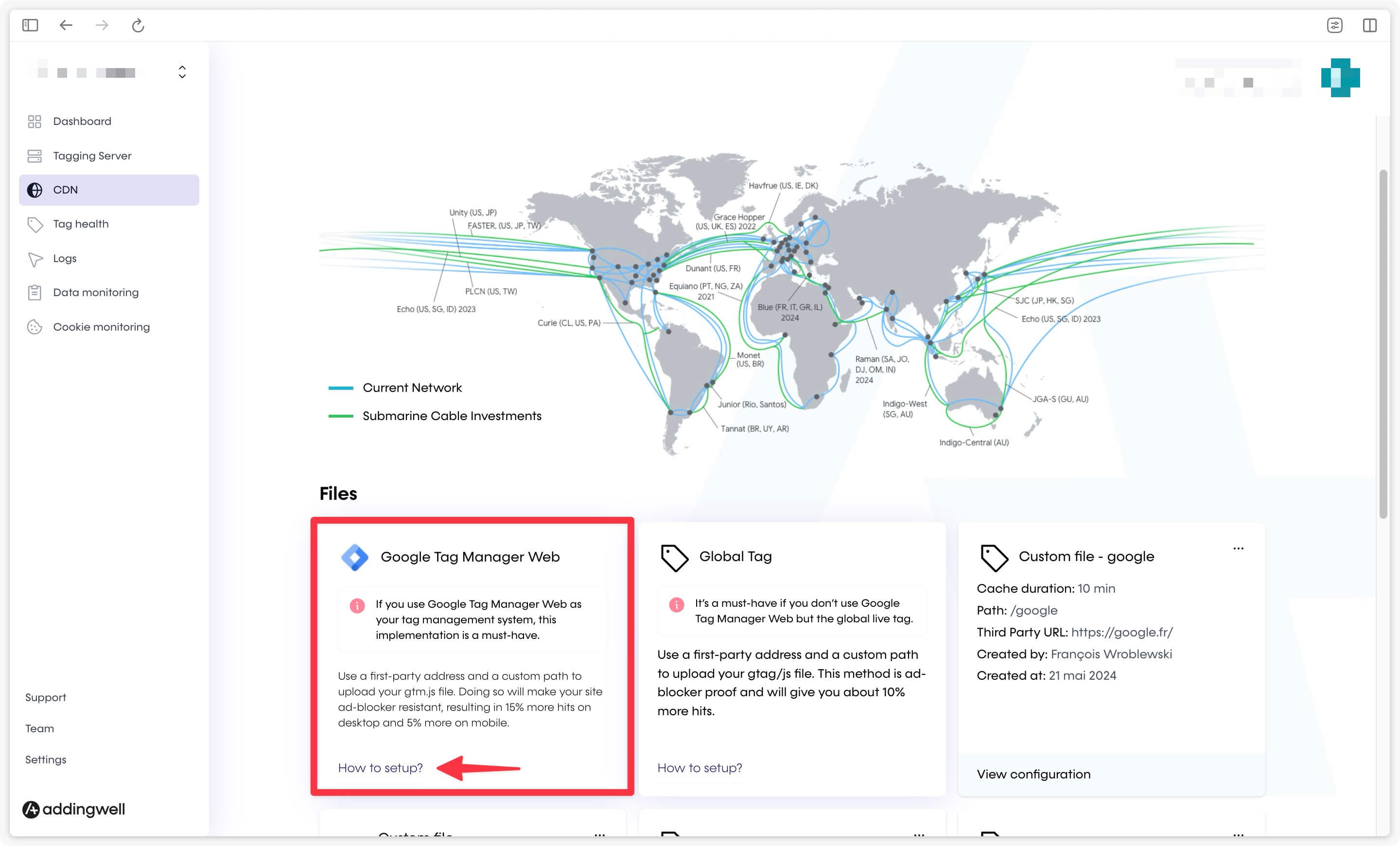
On Addingwell, go to the CDN section and click on the How to setup? link in the Google Tag Manager Web card.
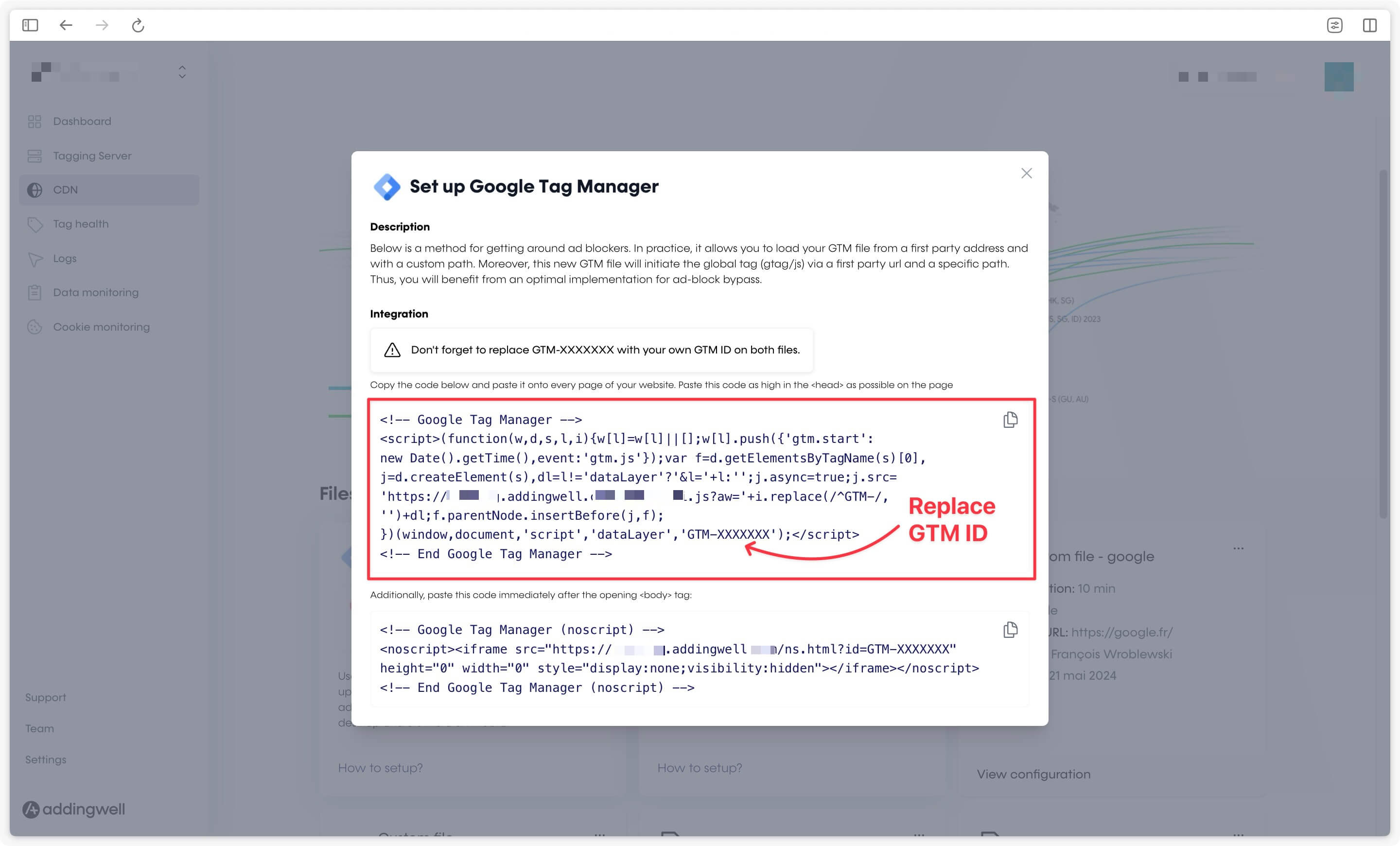
Replace GTM-XXXXXXX with the identifier of your WEB container (not your server container).
Proxify the GA4 library
If you have proxied the Google Tag Manager library, the GA4 library will be proxied automatically if you have a Google tag in your Google Tag Manager container.
Congratulations
Congratulations, you now bypass all the ad-blockers on the market. As part of our constant monitoring process, if you are still experiencing blocked requests after completing all the above steps, please contact [email protected].