Trigger the Tag
Configuration of the Lookup Table Variable
The CJ Affiliate tag should be triggered on the page_view and purchase events.
For optimal organization, you can create a Lookup Table type variable.
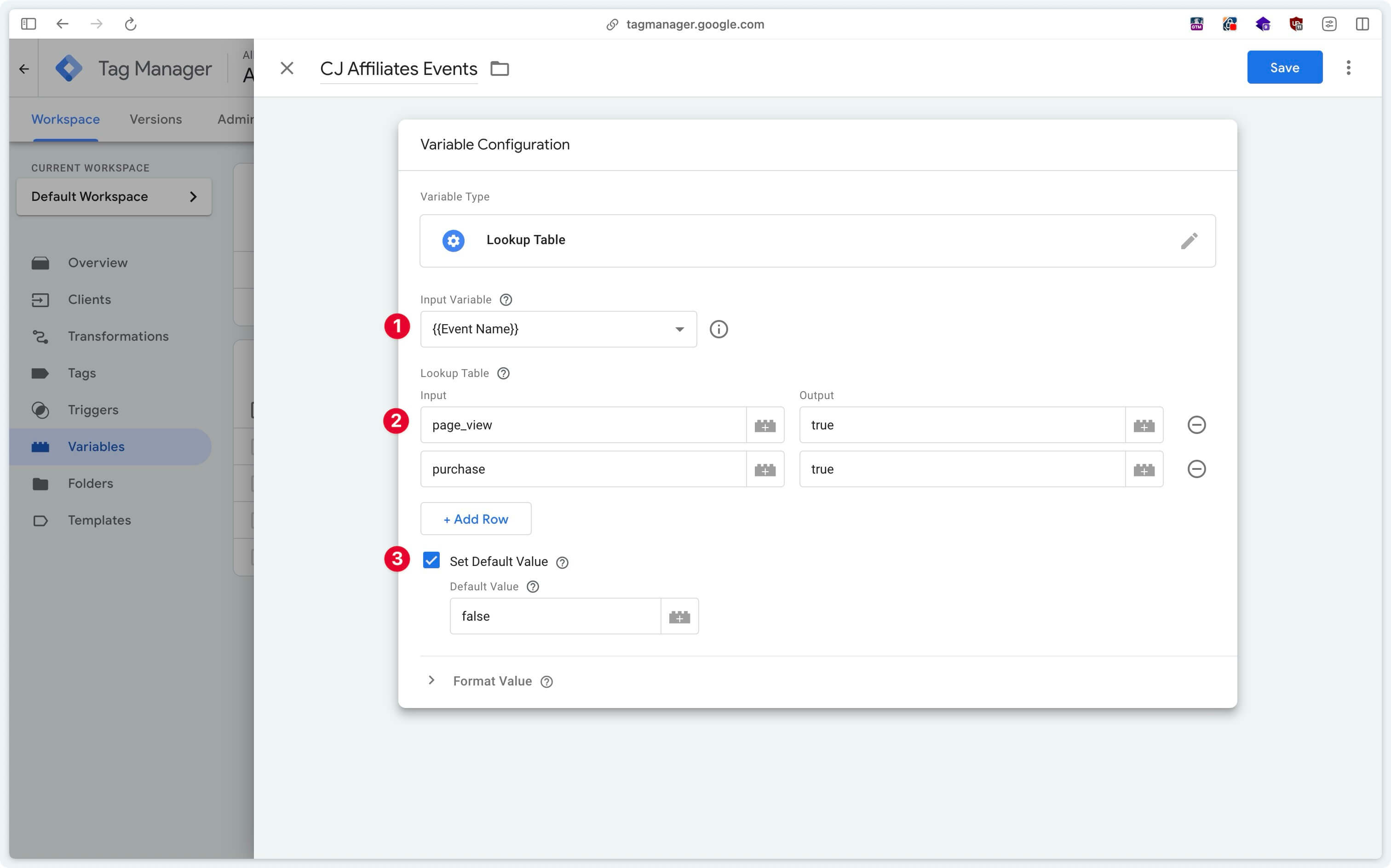
Trigger Configuration
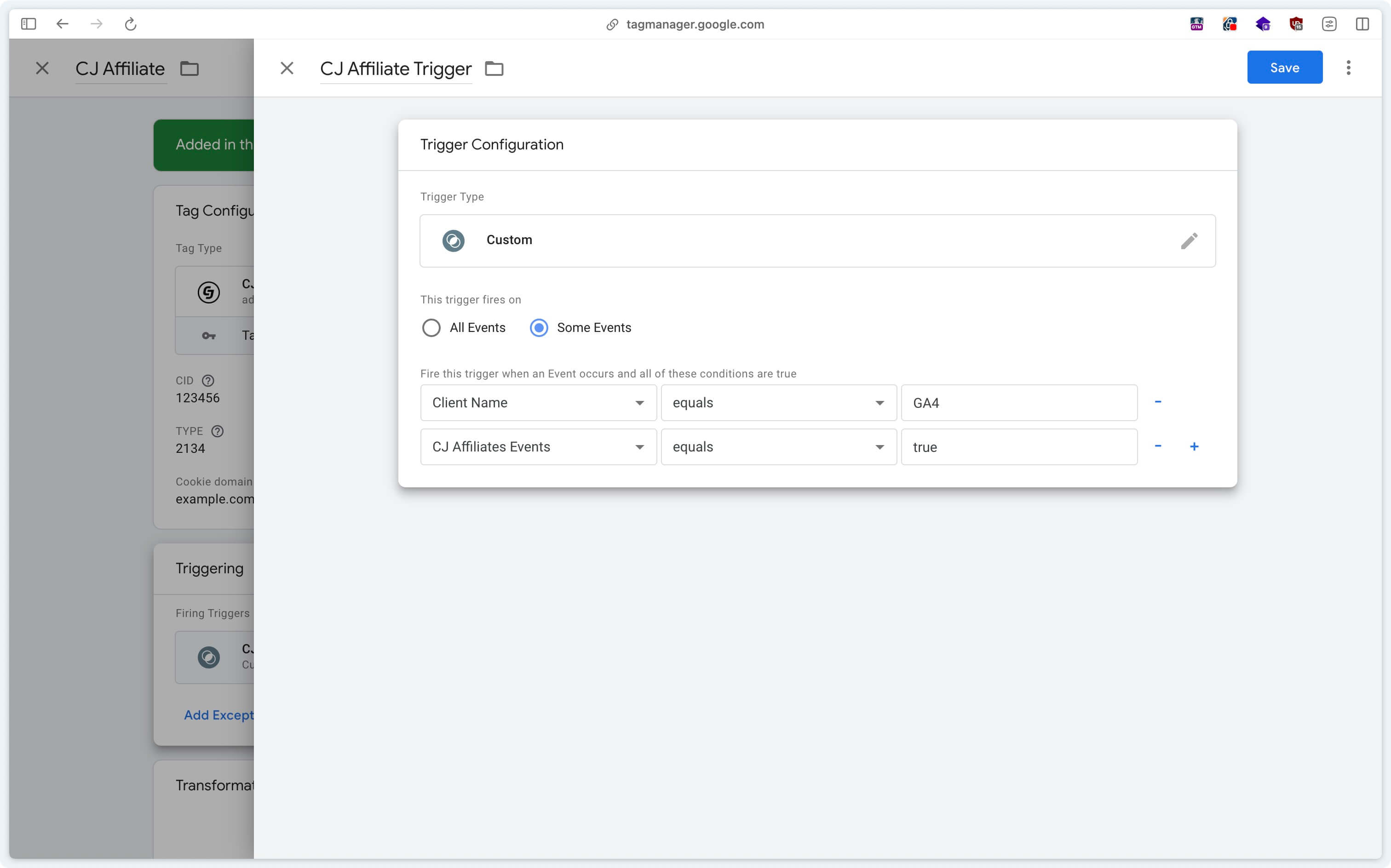
In the CJ Affiliate tag, create a Custom trigger checking that the events are coming from GA4 (Client Name = GA4) and that the previously configured lookup table returns true.
If the Client Name variable does not appear in the list of variables, you need to activate it via Choose Built-In Variable.
Depending on the country in which your website operates and the regulations in force regarding data collection (GDPR in Europe, CCPA in California, Law 25 in Quebec, etc.), it is imperative to configure the tag trigger based on user consent. Ensure that the tag is triggered only when the appropriate consent has been obtained, in accordance with applicable legal requirements.
If you have any questions, please contact us at [email protected]. Our team will be happy to assist you.