Configure your server container
GA4 client configuration
To begin with, let’s focus on the client part of sGTM. A client on sGTM is responsible for receiving incoming data on the server. The GA4 client enables the server to receive and understand data in GA4 format. Once the client receives this data, the tags will dispatch it to the marketing platforms.
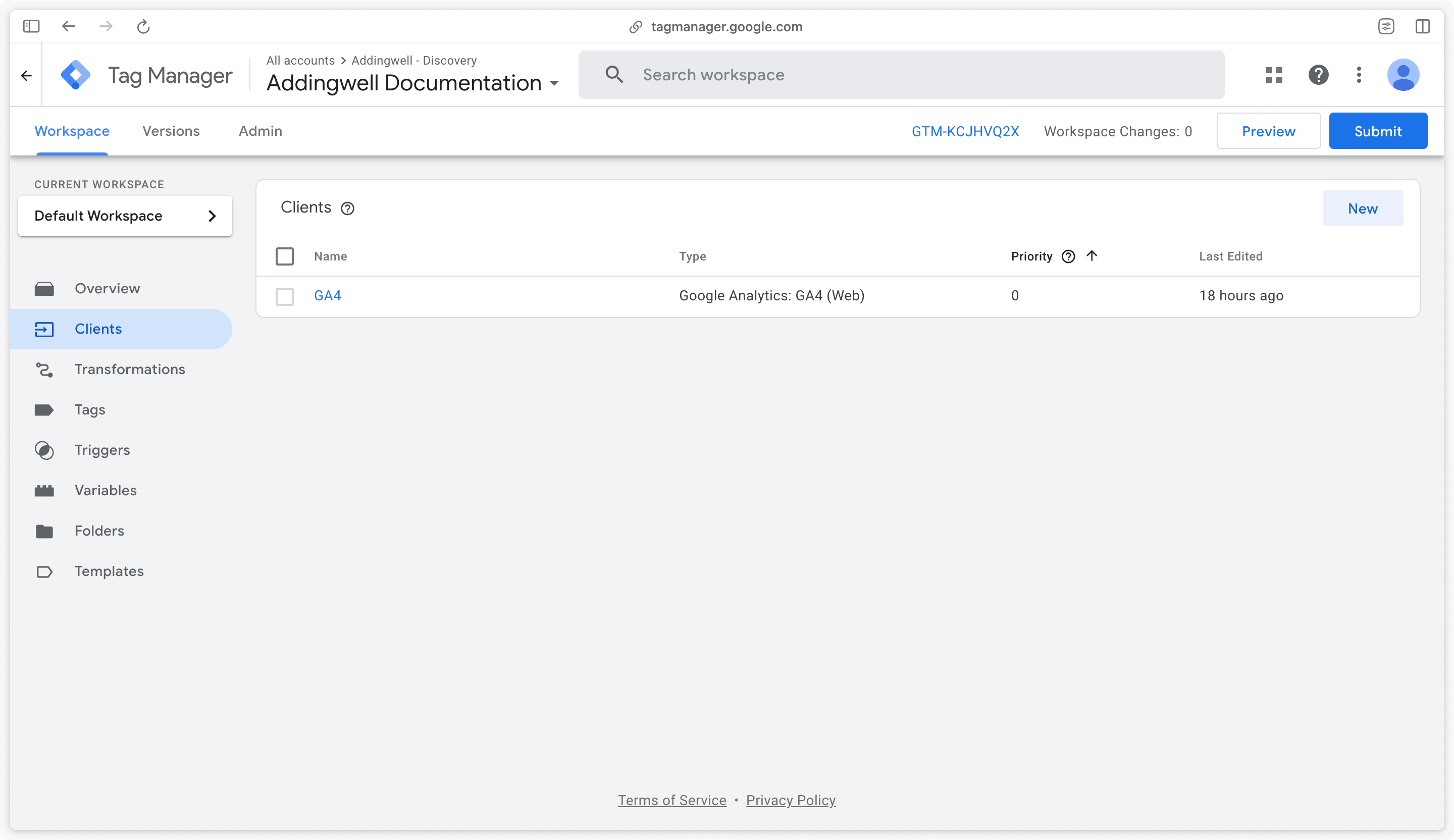
By default, a GA4 client already exists on the server. If you go to the Clients section of sGTM, you should find this client.
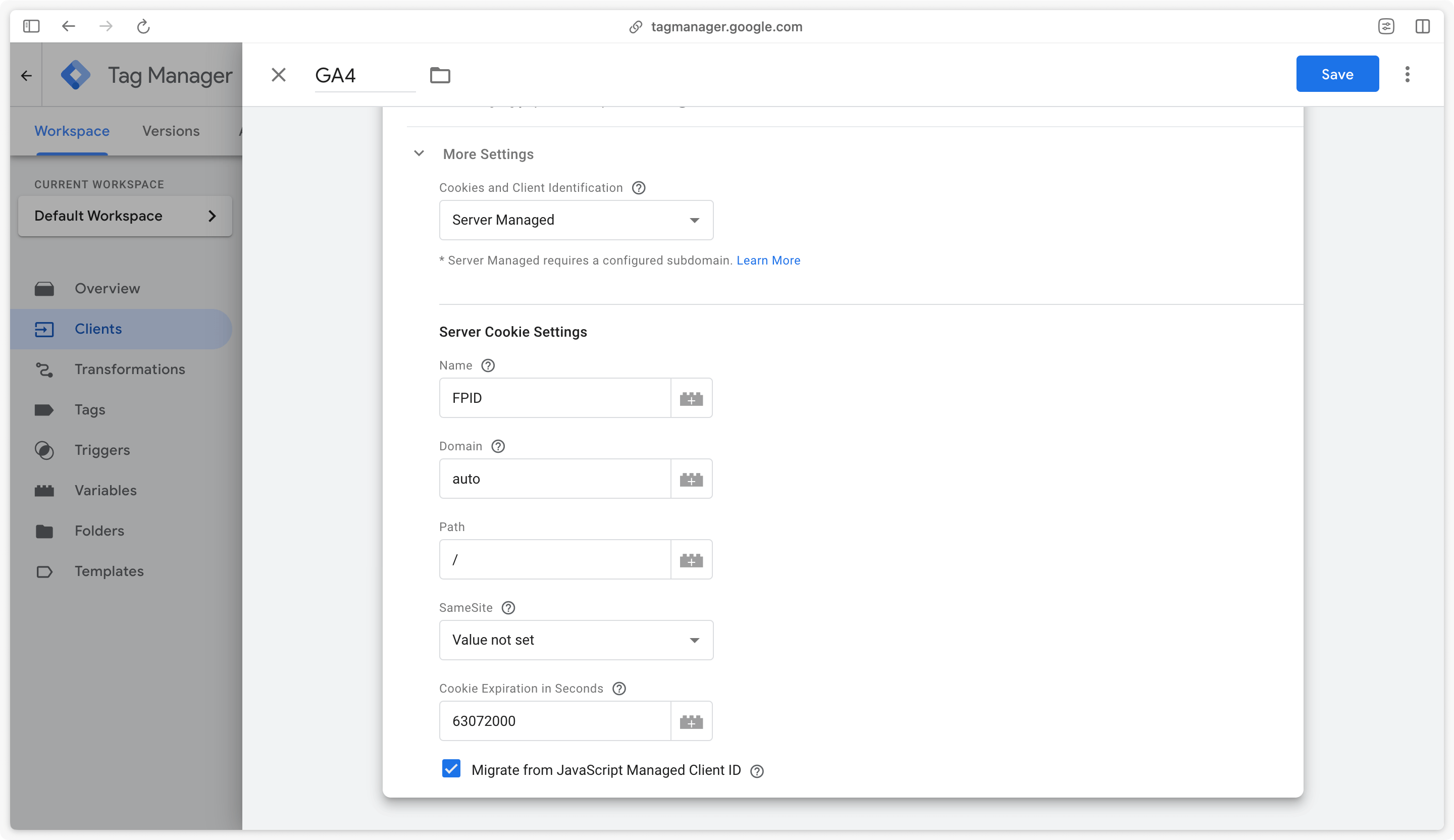
We’ll simply edit this client to maintain the continuity of GA4 client IDs. This GA4 client will create a new Client ID cookie for GA4 called FPID. By checking the Migrate from JavaScript Managed Client ID box, the cookie will be created based on the GA4 cookie generated on the client side.
Check this box and save changes.
Once the GA4 client is configured, set up the GA4 tag on the Google Analytics 4 destination page, then come back here for the preview URL.
Preview URL configuration
We now need to specify to the server which tracking subdomain will be used. This step is essential to be able to launch the preview on GTM server-side.
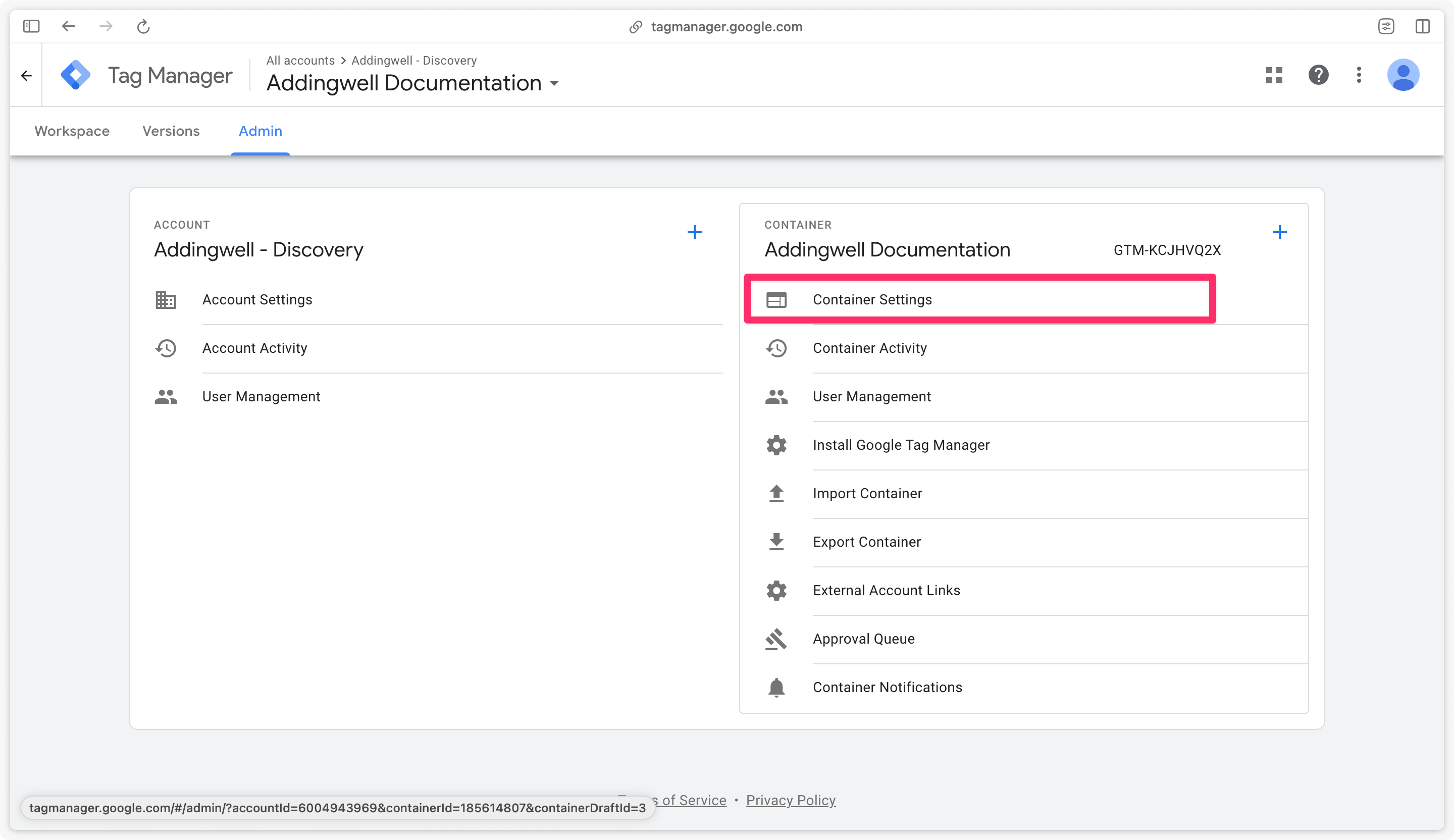
To do this, go to the Admin section of sGTM, then to Container settings.
On this page, add the tracking sub-domain previously declared in Addingwell, in the Server container URLs section.
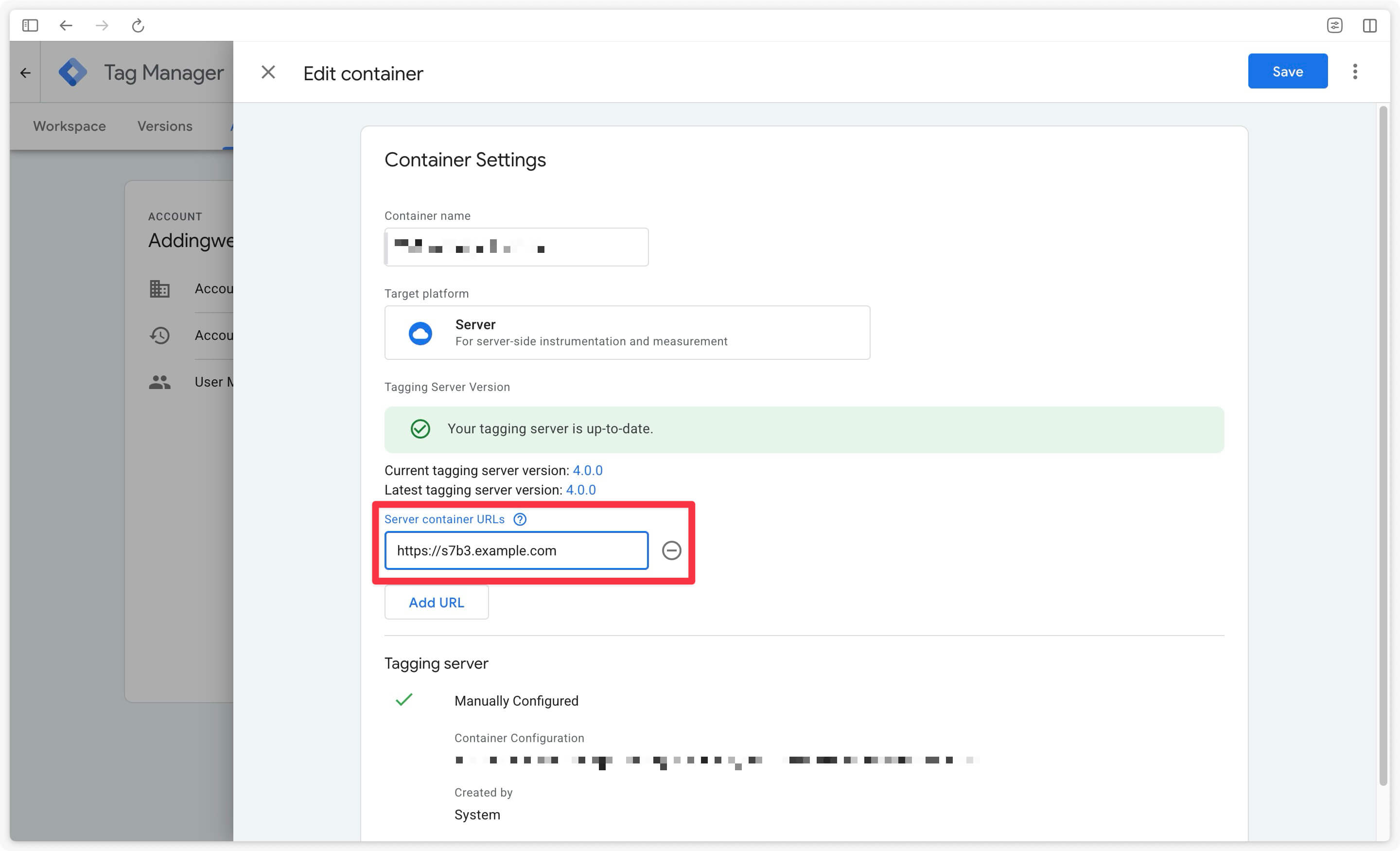
Save this modification.
Next step
Now that your server container is configured, go on to the next step to configure Events Monitoring so that you can monitor what’s happening on your live server.