Find the API Token in Microsoft Ads
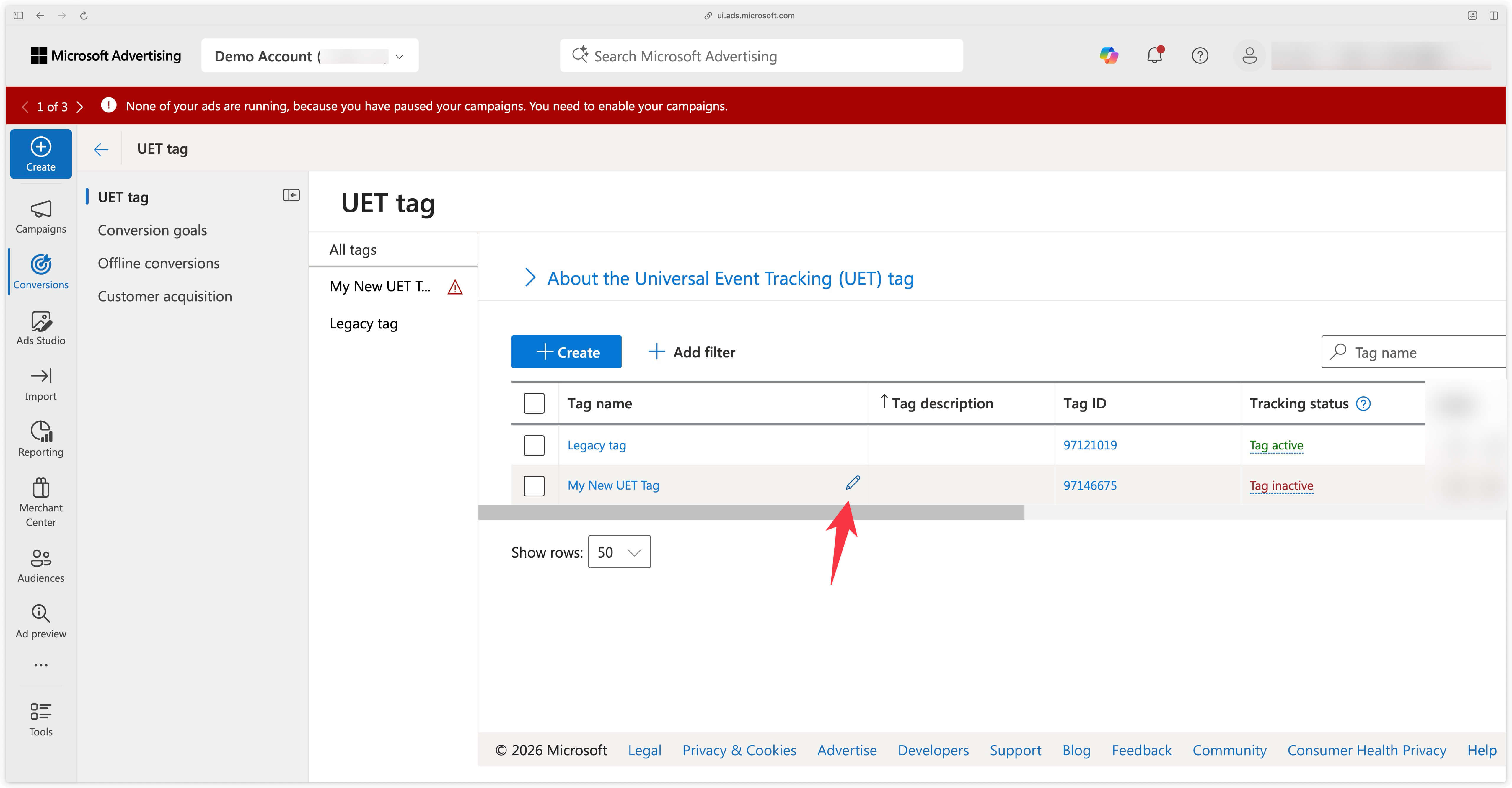
Go to the Conversions menu in Microsoft Ads.
Hover over the desired UET Tag and click on the pencil icon to edit it.
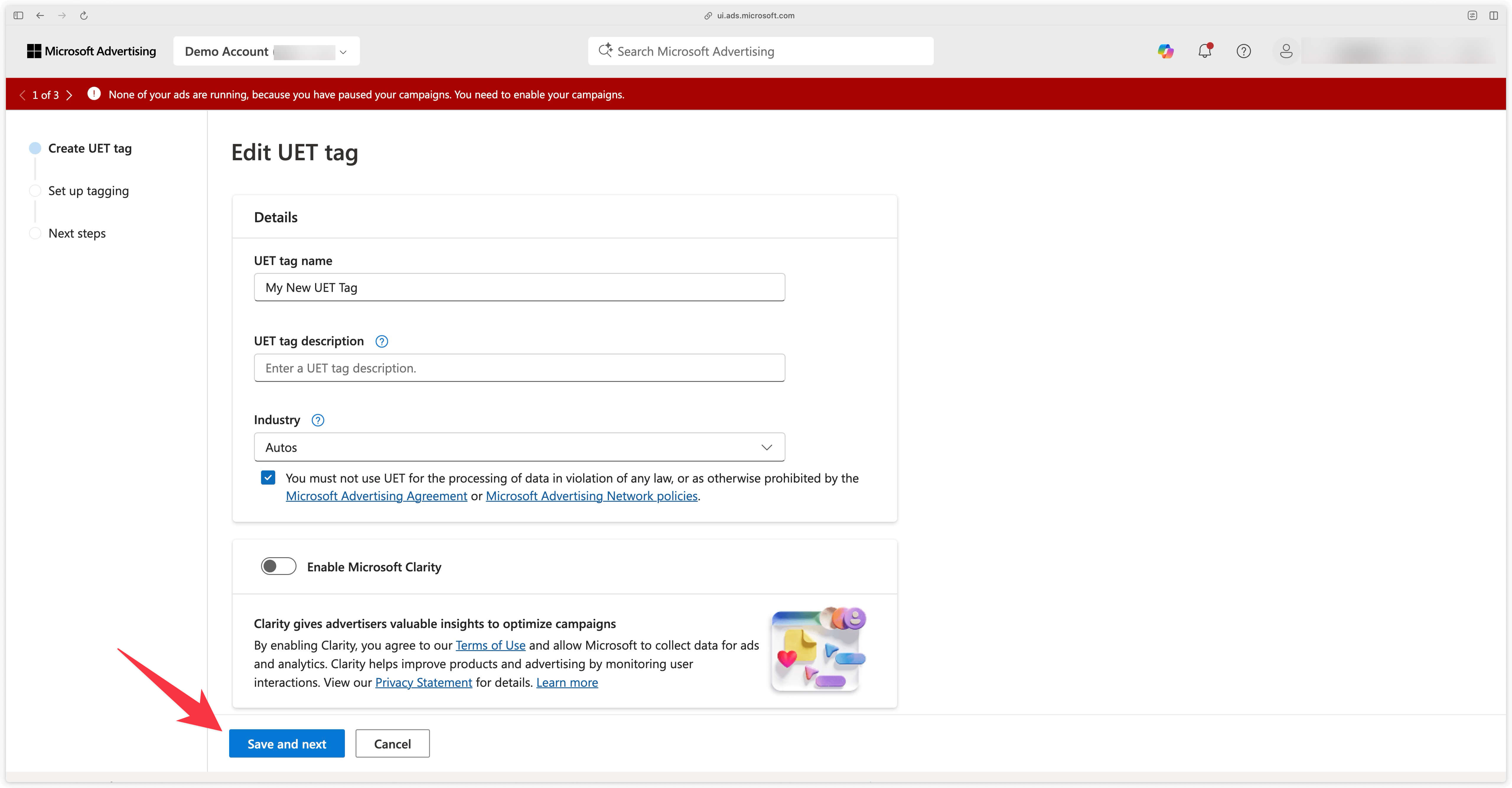
You will then land on this screen. Click on Save and next.
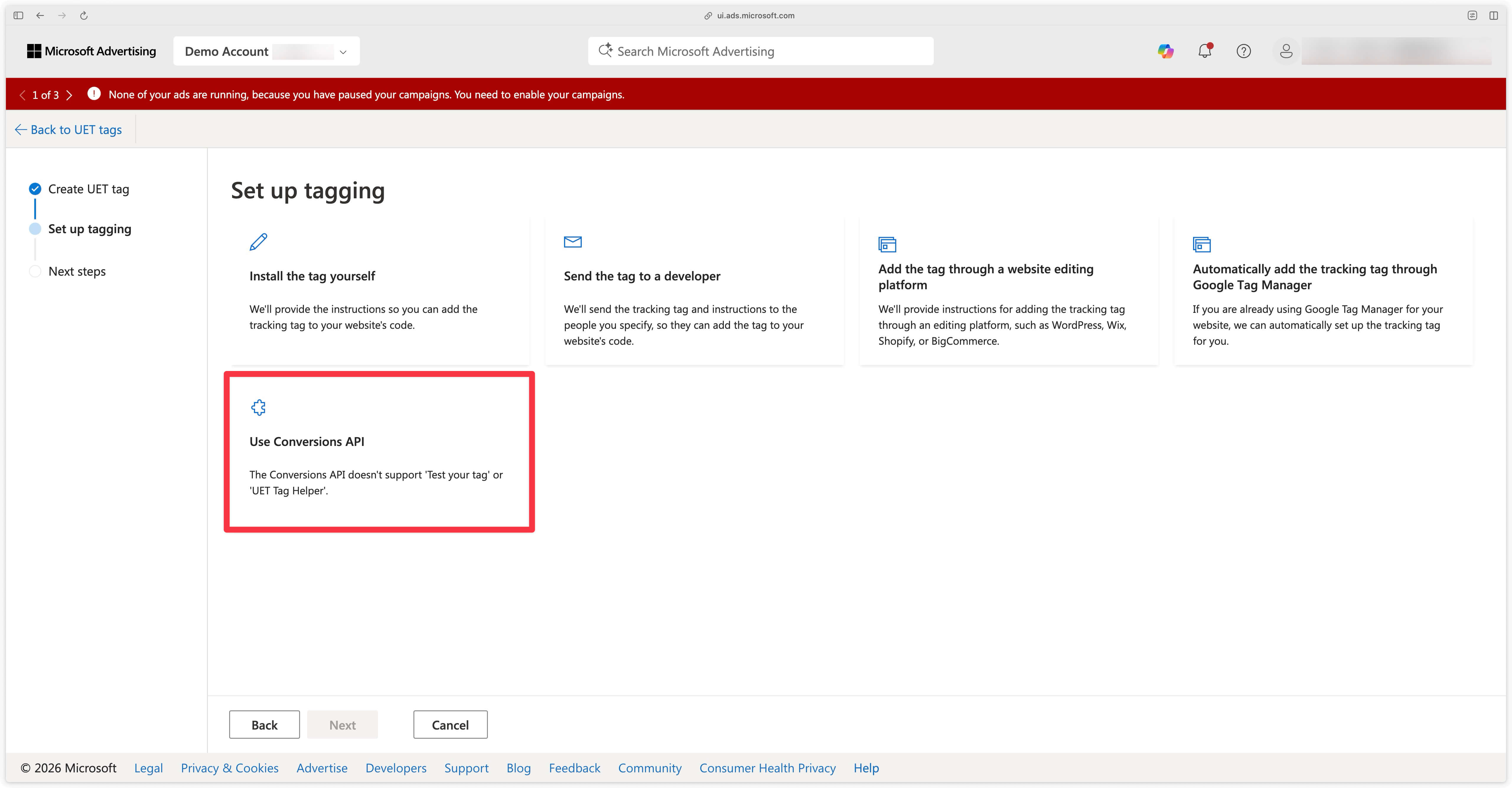
In the next step, you will reach the Set up tagging menu. Select Use Conversions API then click on Next.
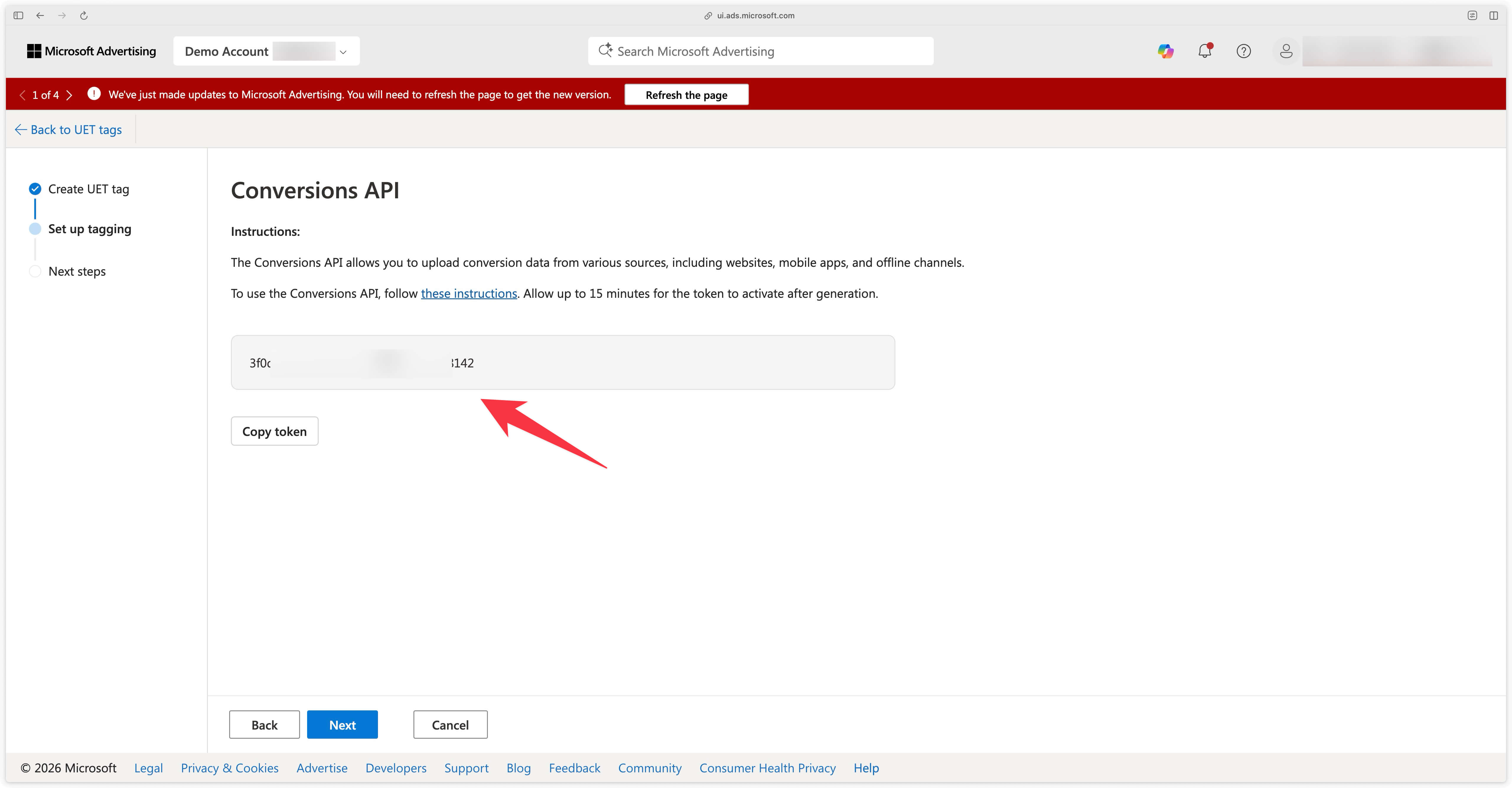
The API Token will then appear. Copy it to paste it into the Addingwell Microsoft UET Conversion API tag.