Find the UET Tag ID in Microsoft Ads
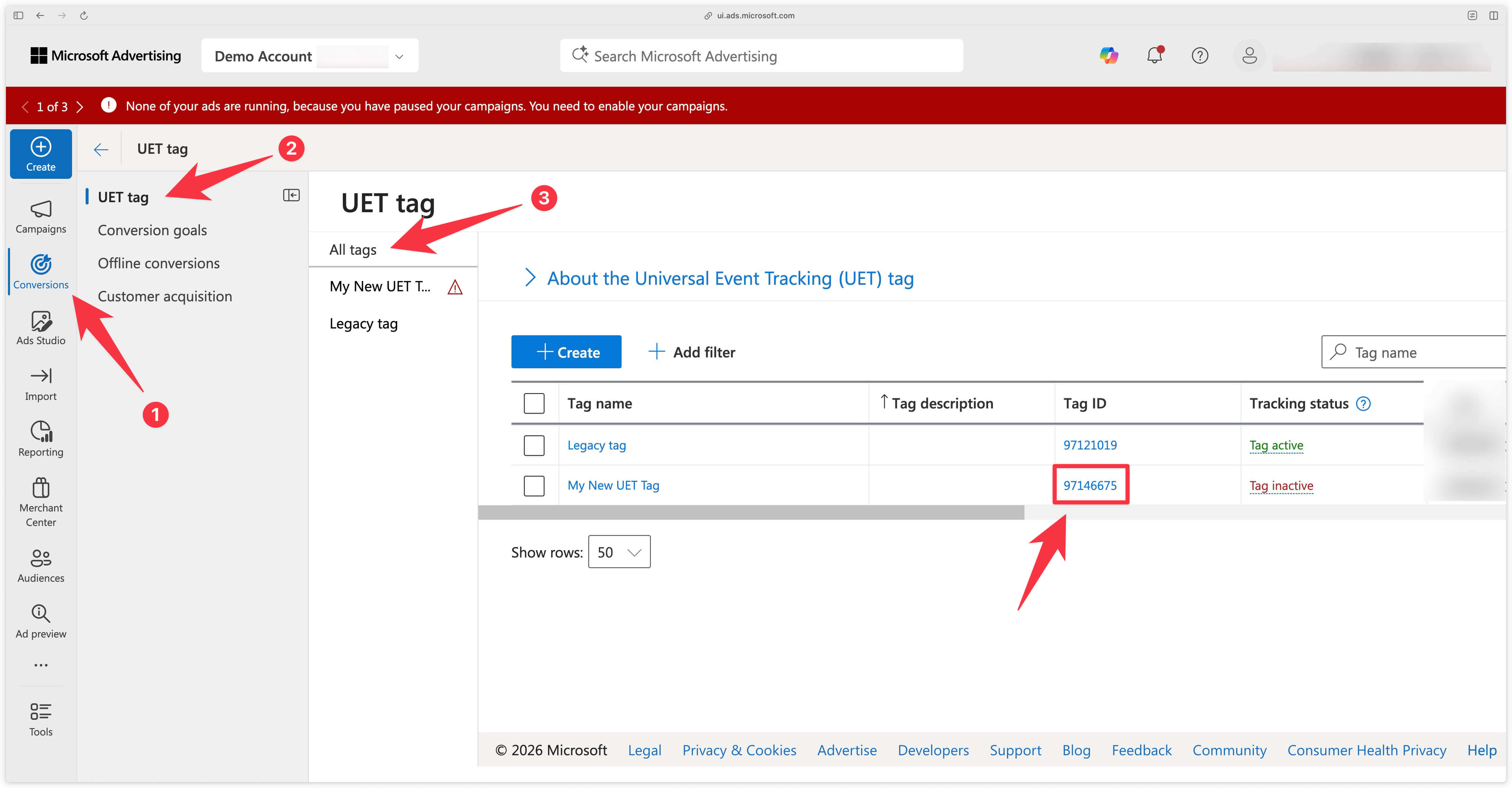
Go to the Conversions menu in Microsoft Ads.
Then, navigate to the All tags tab. You will find the list of all your UET Tags with their associated Tag ID.
If you don’t have a UET Tag yet, you can create one by clicking the Create button.
In this example, we will send conversions to the UET Tag named My New UET Tag. We retrieve the UET Tag ID from the Tag ID column.